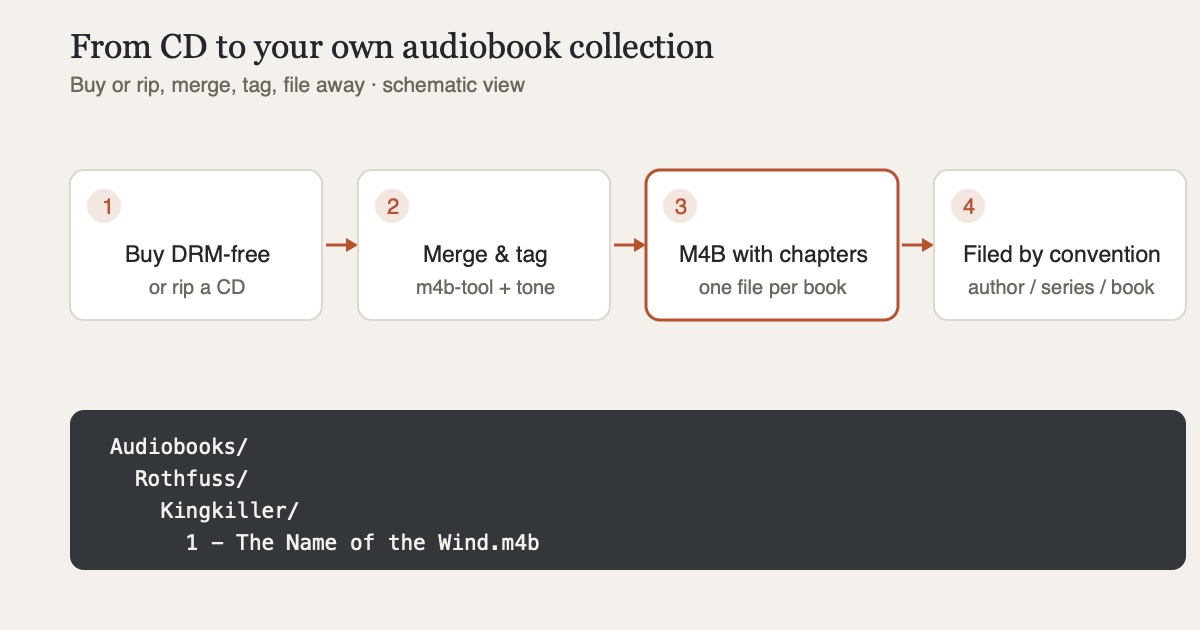
Audible is convenient: one credit a month, a huge catalog, an app on every device. But the audiobooks you "buy" there are only conditionally yours. They come in a DRM-protected format that only Audible's own apps and authorized players can play, and the library is tied to your Amazon account. If you cancel or get locked out, you're left with a collection you can't take with you. The alternative: your own collection of DRM-free files - set up once, it runs on any device, today and in twenty years. Here's how to go about it.
Step 1: Buy DRM-free
The good news: the audiobook market is far more open than the ebook market. Several shops sell audiobooks as plain MP3 downloads without copy protection - often carrying only an invisible watermark that links the purchase to you without restricting you in any way:
- Libro.fm sells DRM-free audiobooks and shares revenue with independent bookstores
- Downpour offers a large DRM-free catalog for purchase without a subscription
- Many publishers and independent authors sell directly, sometimes even as M4B files with ready-made chapters
Comparing prices pays off: individual purchases look expensive next to a subscription credit, but used audiobook CDs (more on that in a moment) and sale prices often even things out. And unlike a subscription, you only pay for what you actually listen to.
Step 2: Rip CDs - legal and rewarding
Used audiobook CDs often go for a few euros, complete unabridged readings included. In Germany, ripping a purchased audio CD for personal use is explicitly allowed as a private copy under Section 53 of the Copyright Act - as long as no effective copy protection is circumvented, which audio CDs generally don't have anyway. Check your local rules if you're elsewhere; many jurisdictions have similar private-copy provisions. The copies may be used on your own devices and within your immediate family, but not redistributed.
In practice, you can rip on a Mac with the Music app or - more thoroughly, with error correction and clean tagging - with the freeware classic XLD. An audiobook spanning eight CDs initially yields about 100 individual tracks. Nobody wants to listen to it that way - hence the next step.
Step 3: One book, one file - M4B with chapters
The format of choice for audiobooks is M4B: technically an AAC file like M4A, but with two decisive properties. Players remember the playback position, and the file carries chapter marks. With m4b-tool, a pile of MP3s turns into a single audiobook with one command:
m4b-tool merge "The Name of the Wind/" --output-file "The Name of the Wind.m4b"If the input files are properly tagged, m4b-tool uses their titles as chapter names; a cover.jpg in the folder is embedded automatically. For fine-tuning the metadata - author, narrator, series, description, release year - the same developer offers tone, a tagger shipped as a single binary for macOS, Windows and Linux that can also edit M4B chapters.
Step 4: A folder structure that thinks along
To keep the collection maintainable and legible to server software, the convention from the Audiobookshelf documentation has proven itself:
Audiobooks/
  Author/
    Book/                     ← standalone title
  Author/
    Series/
      1 - Volume One/         ← series with number
Audiobookshelf reads author, series, volume number and title from exactly this structure - if you stick to it from the start, you save yourself all the cleanup later. Even if you don't (yet) run a server: it works just as well as a plain filing scheme.
Step 5: Listening - with or without a server
For access on the go, Audiobookshelf is the standard: a free, self-hosted audiobook server with progress sync. I've described how to get it onto your iPhone in Audiobookshelf on the iPhone.
But it also works without installing any server: M4B files can be copied straight to the iPhone and played with CLAUDIO, my own privacy-focused player - including chapters, bookmarks, speed, Smart Speed and read-along (the text scrolls along in sync, transcribed on device), with no account and no tracking. Playback is free; audiobook features such as chapters and speed are part of Pro, a one-time purchase with no subscription. Especially for getting started, that's the shortest path: copy the files over, listen. What else makes an audiobook player good is covered in the guide Listening to audiobooks on iPhone.
Conclusion
An audiobook collection of your own is no longer a tinkering project - it's one afternoon of setup and routine afterwards: buy DRM-free or rip a CD, bundle it into a chaptered file with m4b-tool, file it away using the author/series/book convention. What you end up with is something nobody can lock, cancel or pull from a catalog - they're simply your files.
Sources
- urheberrecht.de: Private copies - what is allowed? - legal situation under Section 53 of the German Copyright Act, copy protection and permitted scope
- Audiobookshelf: Book Library Directory Structure - official author/series/book folder convention
- GitHub: sandreas/m4b-tool - command-line tool for merging, splitting and chapterizing audiobooks
- GitHub: sandreas/tone - cross-platform audio tagger for MP3, M4B, FLAC and more
- XLD: X Lossless Decoder - freeware CD ripper for macOS with error correction
- heise Download: Audiobook providers compared - market overview including each provider's DRM status
Full disclosure: I develop CLAUDIO, the player mentioned in step 5. Every other step works with any player that handles M4B files with chapters.