App
CLAUDIO: self-hosted audiobooks, music and podcasts on iPhone
CLAUDIO is a player for iPhone and iPad that I build on my own. It plays the audiobooks, music and podcasts you actually own, with chapters and read-along, from self-hosted servers such as Jellyfin, Subsonic and Navidrome or Audiobookshelf down to plain files in iCloud Drive. It is made for people who keep their own collection and would rather not create yet another account for it.
What CLAUDIO looks like
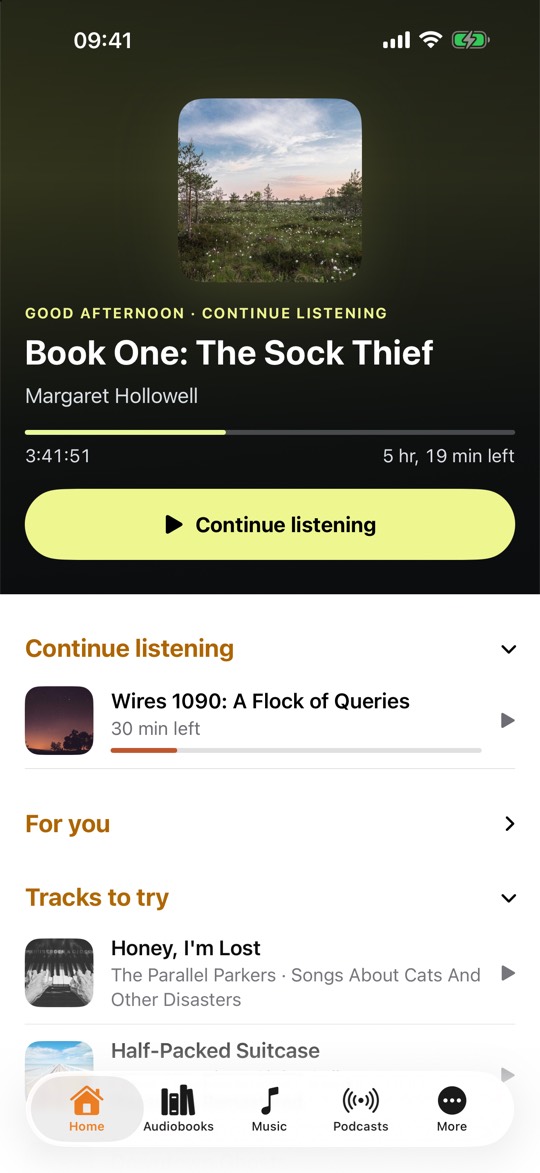
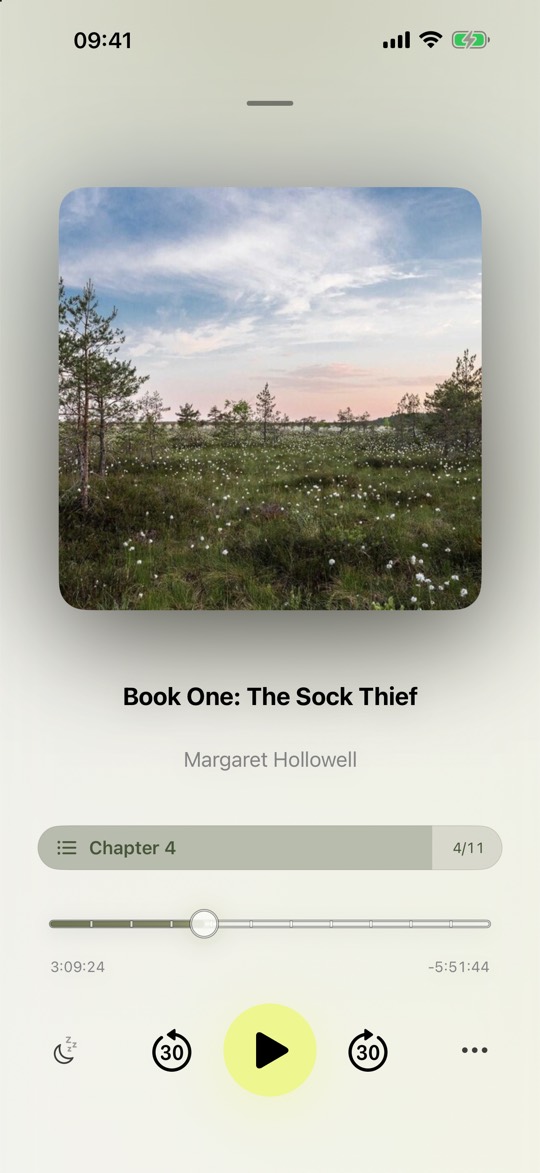
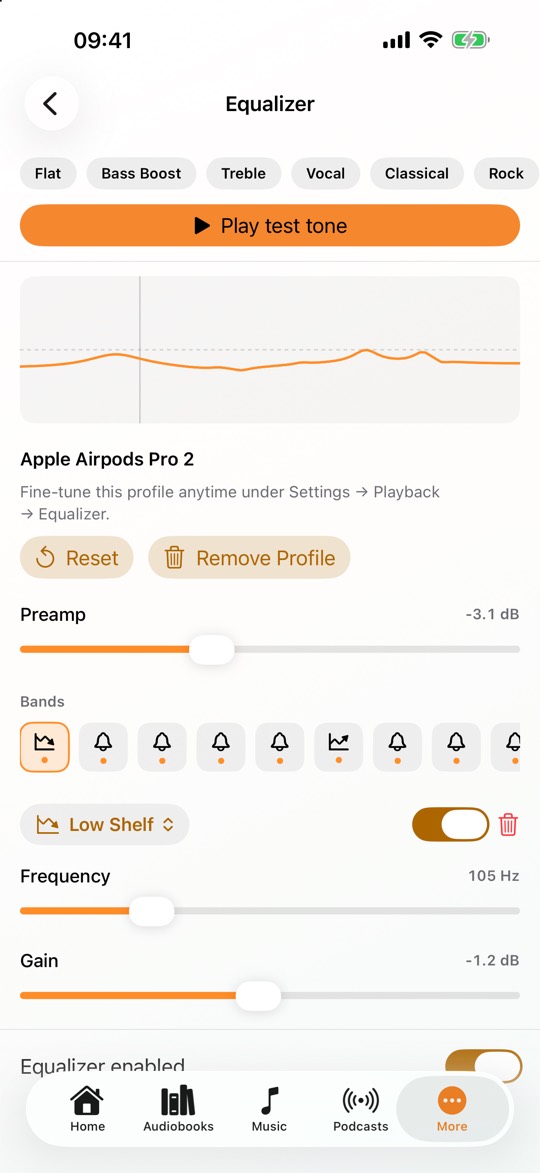
The interface: Home, player, mini player
Home opens with one large highlight, with continue listening, recommendations and single tracks below it. Collapse what you don't need and dismiss what you don't like. The player takes on the tone of the cover art, lyrics and read-along get a view of their own, and one tap on artist or album leads straight into the library. You assign the player buttons yourself, for instance to download, LP Mode, shuffle, favorite or the sleep timer.
A taste profile decides what Home puts up front: over months, CLAUDIO learns what you like to hear, arranges Home accordingly and feeds Smart Shuffle. The profile is built on the device; you can inspect and reset it at any time.
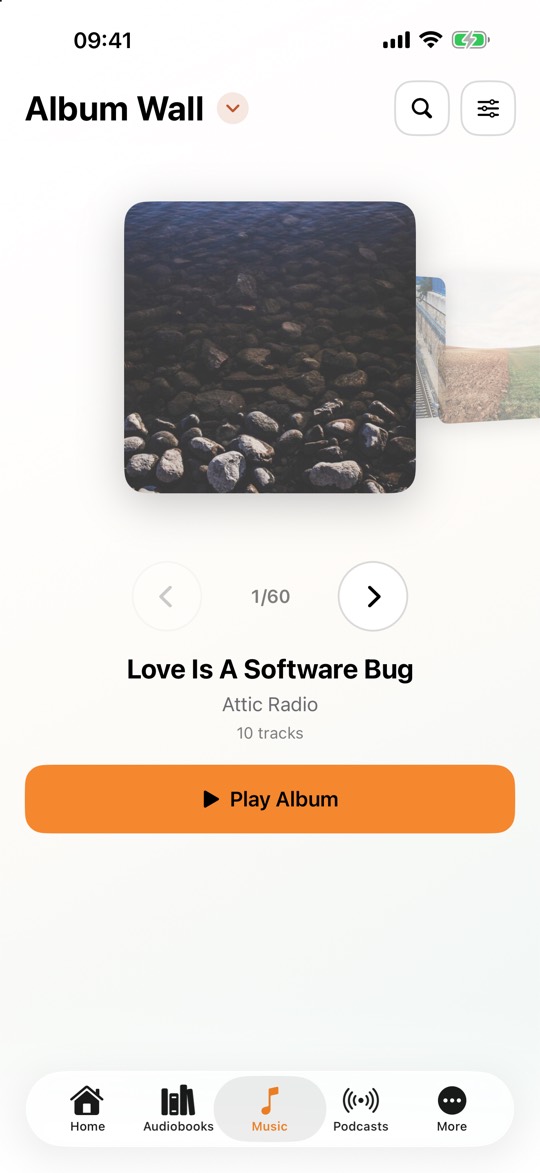
A mini player sits in the tab bar and shows progress as a ring. On iPad and Mac, library, player and settings are laid out in two columns, and the Album Wall runs edge to edge. On first launch, a short tour shows you where things live.
Widgets and Control Center
Widgets on the Home Screen and Lock Screen show what is playing, what you can continue and what you played last. Control Center gets controls of its own for play and pause, 30-second skips, the sleep timer and continue listening, all within reach without opening the app.
Widgets and controls are part of Pro and work on iPhone and iPad, not on the Mac.
Read-along: the text scrolls with the audio
While an audiobook or podcast episode plays, CLAUDIO shows the spoken text in sync, word by word or sentence by sentence. That helps with language learning, with tricky passages, and whenever you would rather reread a line than rewind it.
Transcription runs on a local speech model right on the device, and not a single word leaves it. Read-along needs the downloaded file and a language the device supports; if the download is missing, CLAUDIO offers it right there. Read-along is part of Pro. For music there are synced lyrics instead, also part of Pro.
Audiobooks: chapters, speed, sleep timer
CLAUDIO reads chapters from M4B files and tagged MP3s. Speed is adjustable with pitch correction, Smart Speed shortens silences, and after a pause Smart Rewind picks up a few seconds earlier. Listening bookmarks keep passages with a note of your own.
The sleep timer can wait for the end of the chapter or the book. If it stopped too early, knock twice on the locked iPhone: Knock to Resume restarts the timer and keeps playing, without you unlocking the phone.
Chapters, speed, Smart Speed, Smart Rewind, the sleep timer and Knock to Resume are part of Pro.
Podcasts: subscribe and stream for free
Subscribing, searching and streaming cost nothing in CLAUDIO: add shows by RSS URL or through Apple Podcasts search, without an account or payment. Pro adds episode downloads, per-show intro and outro skip, Smart Speed, OPML import and export, chapters, the sleep timer and read-along. With Pro, new episodes also download overnight on their own while the device is charging.
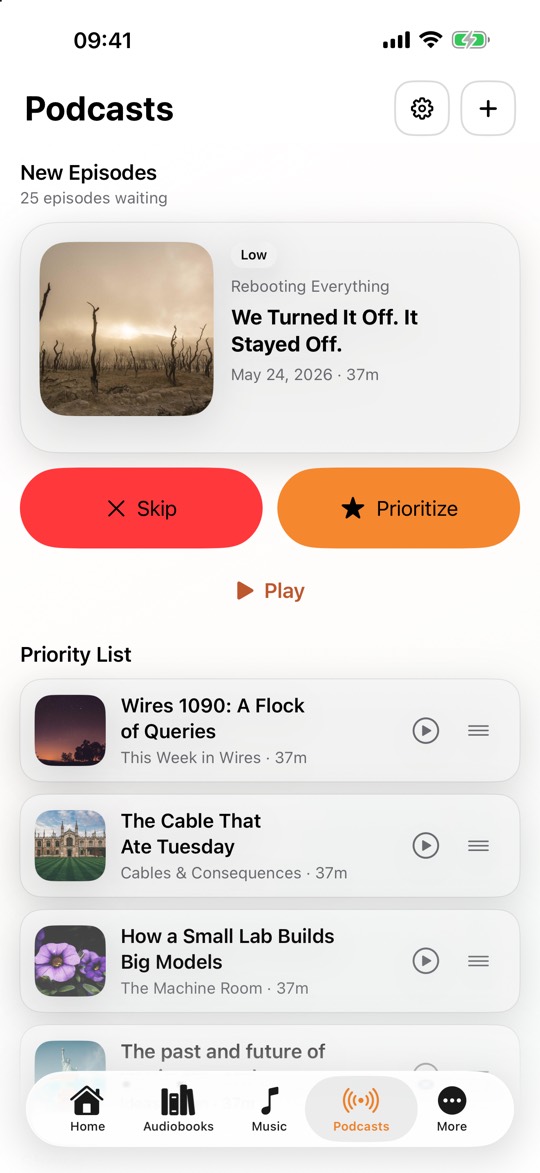
New episodes wait in a list of their own until you sort them: skip, prioritize, or play right away. The priority list is the order you listen in, and drag handles let you rearrange it whenever you like. New episodes land at the top, in the middle or at the bottom, depending on the priority of their show.
One library, every source
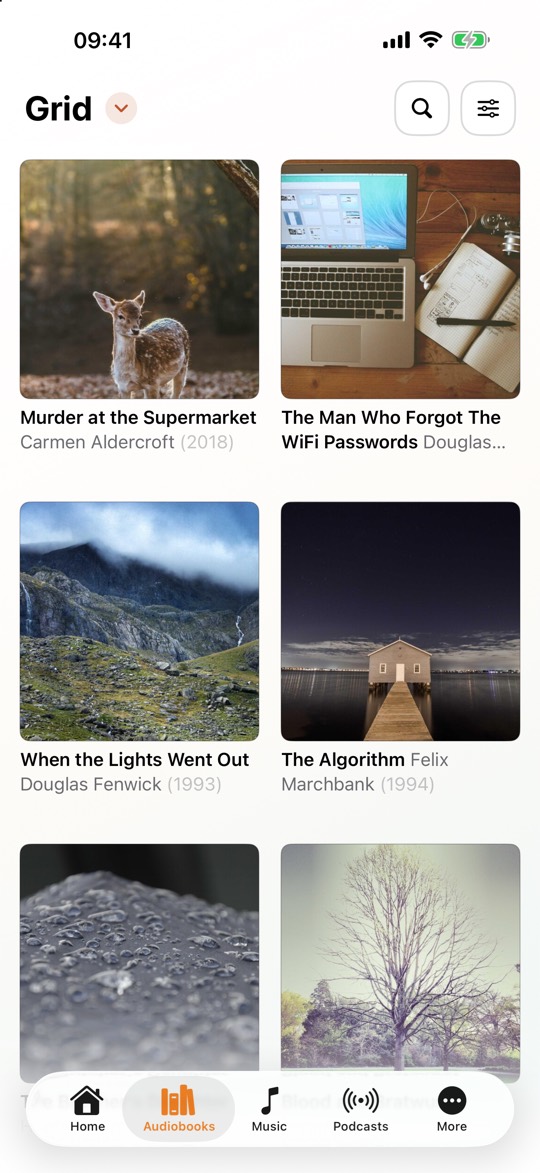
Jellyfin, Audiobookshelf, Subsonic and Navidrome: CLAUDIO connects to the server you already run and brings everything into one library. It also reads SMB shares from a NAS, DLNA, WebDAV and SFTP. Tracks from a server go into the offline cache or get pinned, and then play without a network. Large libraries keep loading in the background even after you leave the app.
The library is tidy and remembers where you were. Playlists and favorites are views rather than separate tabs, covers are larger, and audiobook series show their volume number.
Favorites sync with Navidrome, Jellyfin and Audiobookshelf in both directions: a heart on a track, an album or an audiobook reaches the server, and the other way around. On Navidrome, ratings of four stars and up count as favorites. Music you play counts on Navidrome and Subsonic servers, once per play, and shows up there as "Now Playing"; if the server forwards to Last.fm or ListenBrainz, it arrives there too. Jellyfin also learns what you listened to.
Local files and iCloud Drive cost nothing. Your own servers need Ultra (subscription) or Pro+ (one-time purchase); Pro alone does not include them.
Sound and playback
You pick your headphone model from more than 6,000 entries and CLAUDIO builds an EQ curve from the open AutoEq measurement data. Listening to it is free, saving it takes Pro. Pro also covers the 10-band EQ, ReplayGain, gapless playback, crossfade, stereo widening, volume normalization, animated visualizers, Album Wall and LP Mode, plus scrobbling to ListenBrainz and Last.fm.
On the road, CarPlay plays downloaded and local titles and keeps even long episode titles and series readable; it does not stream. Local and downloaded files can also go to Google Cast, DLNA/UPnP and Sonos. Both are part of Ultra and Pro+.
Free, Pro, Ultra and Pro+
Free: music and audiobooks from local files and iCloud Drive, podcasts to subscribe to and stream, Smart Lists, favorites, shuffle and Smart Shuffle, and every theme, the high-contrast one included.
CLAUDIO Pro is a one-time purchase without a subscription and unlocks the listening features: chapters, sleep timer, speed, Knock to Resume and read-along for audiobooks, podcast downloads, EQ, gapless and crossfade for music, plus widgets and Control Center controls. Since version 14.3 that includes iCloud Sync: settings, sources, podcast subscriptions, lists, favorites and listening positions stay in step across your devices.
CLAUDIO Ultra is a subscription, monthly or yearly, and includes Pro while it is active. On top come all self-hosted sources, the offline cache, CarPlay, sending to Google Cast, DLNA and Sonos, favorites sync, statistics and background library updates.
CLAUDIO Pro+ is a one-time purchase that unlocks Pro and Ultra for good, every remote source included, with no recurring payment. It can be shared through Family Sharing, and anyone who owns the earlier one-time Pro purchase has Pro+ automatically.
Privacy
CLAUDIO is a privacy-focused player with no account, no ads, no analytics SDKs and no telemetry. Library and podcast subscriptions stay on your devices. With Pro, iCloud Sync keeps them in step through the private iCloud database of your Apple Account, which I have no access to, and it can be turned off on each device. Beyond that, the app only talks to the sources and services you configure yourself, and those are the only places favorites, scrobbles and playback reports go. The App Store privacy label reads "Data Not Collected".
Related reading
- Listening to audiobooks on iPhone
- Audiobooks without Audible
- Podcast apps compared
- A music player without tracking
- Audiobookshelf on iPhone
- Navidrome on iPhone
- Jellyfin music on iPhone
- Streaming NAS music without Plex
- M4B audiobooks with chapters
- The Subsonic API explained
- How CLAUDIO works
- CLAUDIO vs Plexamp vs VLC
CLAUDIO is on the App Store, and starting out with local files, iCloud Drive and streamed podcasts is free.
Questions, bugs or requests? The CLAUDIO Discord is open to everyone, and I read along there myself.