A ten-hour flight, airplane mode on, and the music app shows grayed-out tracks. Few moments make it as clear that streaming downloads are loans with conditions rather than copies. If you're regularly offline (on planes, on trains through dead zones, abroad without a data plan), you're better off with purchased music. The effort is smaller than you'd think.
The fine print of the offline feature
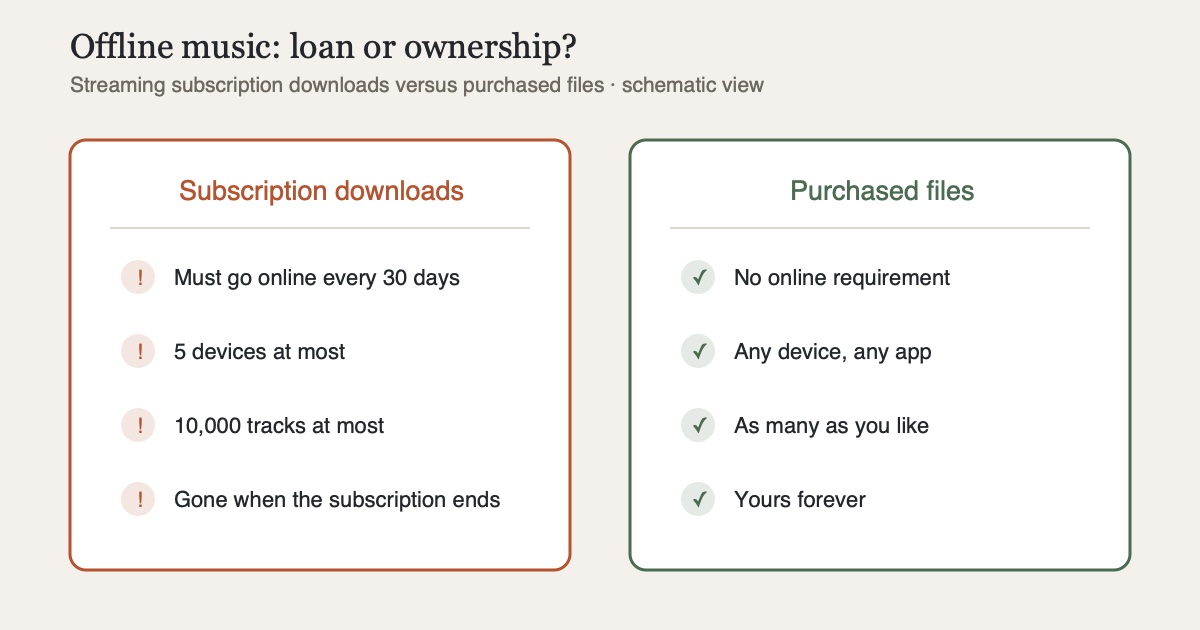
The download feature of streaming services sounds like ownership but comes with strings attached. Take Spotify: according to the official help pages, you get at most 10,000 tracks on up to 5 devices, and each device must go online at least once every 30 days, otherwise the downloads are disabled. Fill a sixth device, and the least recently used one loses its downloads. And when the subscription ends, all downloads end with it.
That's not a dirty trick. It follows from the model: the files remain the property of the service, and the app is just a window onto them. For everyday life with stable coverage it doesn't matter. On the long-haul flight, the hiking weekend or the vacation without roaming, it's the whole problem.
Buy instead of rent
The alternative is as old-fashioned as it is robust: buy music, as files, without copy protection. Three reputable routes:
- iTunes Store: all songs have come DRM-free as 256 kbps AAC since 2009. Bought is bought: the files can be copied freely and played on any device
- Bandcamp: downloads in your choice of FLAC, ALAC, MP3, AAC and more, DRM-free, with a large share of the price going directly to the artists
- Qobuz: a download store for audiophiles, in CD quality or hi-res up to 24 bit, likewise DRM-free
Plus the classic: used CDs for a few euros, ripped yourself. That is perfectly legal for personal use in most jurisdictions, as described in the audiobook post.
Getting it onto the iPhone
Purchased files don't need a detour through a cloud:
- Via cable or Wi-Fi sync: Finder (macOS) syncs folders and playlists straight into the iPhone's Music app
- Via the Files app: copy files to the iPhone (AirDrop, iCloud Drive, USB stick with adapter) and open them with a player that understands folders. My recommendation for this is CLAUDIO, a privacy-focused player that works without an account, ads or tracking and plays M4B, FLAC and MP3 directly. Local files and iCloud Drive are free in CLAUDIO. Disclosure: CLAUDIO is my own app
- From your own server: if you run Navidrome or Jellyfin, many client apps can cache albums and playlists locally. CLAUDIO downloads tracks from Jellyfin, Navidrome or the NAS into its offline cache, which needs Ultra (subscription) or Pro+ (one-time purchase). The basics are covered in NAS music on the iPhone
Unlike streaming downloads, none of this expires. There's no 30-day counter, no device limit and no subscription that could end.
Practical tips for the trip
- Format: for the iPhone, AAC at 256 kbps is the sweet spot of quality and space. FLAC doesn't sound better than its lossless content, but takes a good three times the storage, so a converted second copy is worth it for travel
- Estimate the space: an album in AAC 256 runs about 100 MB, in FLAC 300 MB and up. Even 50 albums for your carry-on come to only about 5 GB in AAC
- Test beforehand: switch on airplane mode once and tap through the playlist. Five minutes can save the ten-hour flight
- Think of audiobooks and podcasts: on long flights they're often worth more than music, and the same rule applies: your own files instead of app downloads with expiry dates. CLAUDIO plays music, audiobooks and podcasts in one app, and downloading podcast episodes there comes with Pro
Conclusion
Offline listening shows who owns your music. With streaming, the answer is the service, not you, and that's the only reason 30-day rules and device limits exist. A modest base of purchased albums, brought onto your iPhone cleanly once, makes you independent of all that. To play it, all you need is a player that understands folders, such as CLAUDIO, free for local files. And that base grows more valuable with every purchase instead of more expensive with every subscription month.
Sources
- Spotify: Listen offline - official help, 10,000 tracks on 5 devices, 30-day online requirement
- Apple: Intro to the iTunes Store in Music, all songs DRM-free as 256 kbps AAC (iTunes Plus)
- Bandcamp: In which formats can I download my purchases?, available download formats including FLAC and ALAC
- Qobuz: Available audio formats in the download store, CD and hi-res quality without DRM