A block has two states: closed or open. With PauseFirst I built an iOS app that works in between. A short task stands in front of a blocked app, and each further unlock on the same day takes a little more effort. The app is now available as a public beta on TestFlight.
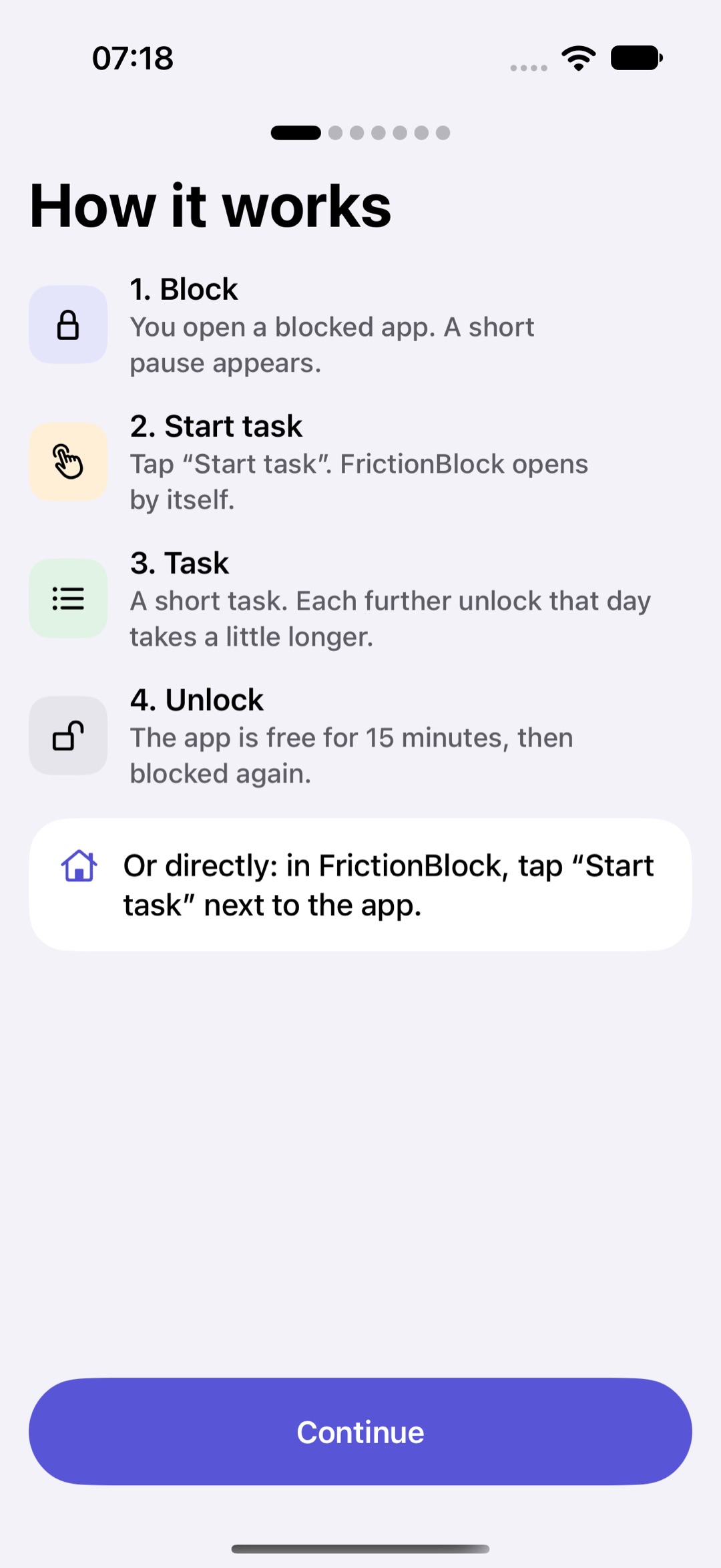
The onboarding explains the flow in four steps: block, start task, task, unlock.
The idea: a short moment of friction
When you tap a blocked app, you first see "Short pause." instead of the app. Below it, you see which unlock of the day this would be. You can start a task or simply go back with "Not now".
The task is deliberately small. Sometimes you hunt for letters, sometimes you work through a short math chain, sometimes you pick the ink color of a color word, sometimes you type out a piece of text. Other tasks ask for patience rather than thinking: swipe slowly, leave the iPhone lying still on the table for a while, or follow a breathing rhythm. Chance decides which task comes up, and the same type never appears twice in a row. You can't pick one yourself, because then everyone would always take the easiest. You can narrow down which types are in the mix, and at least three stay active.
Once you've solved the task, the app stays open for a while. Only then does the next pause come.
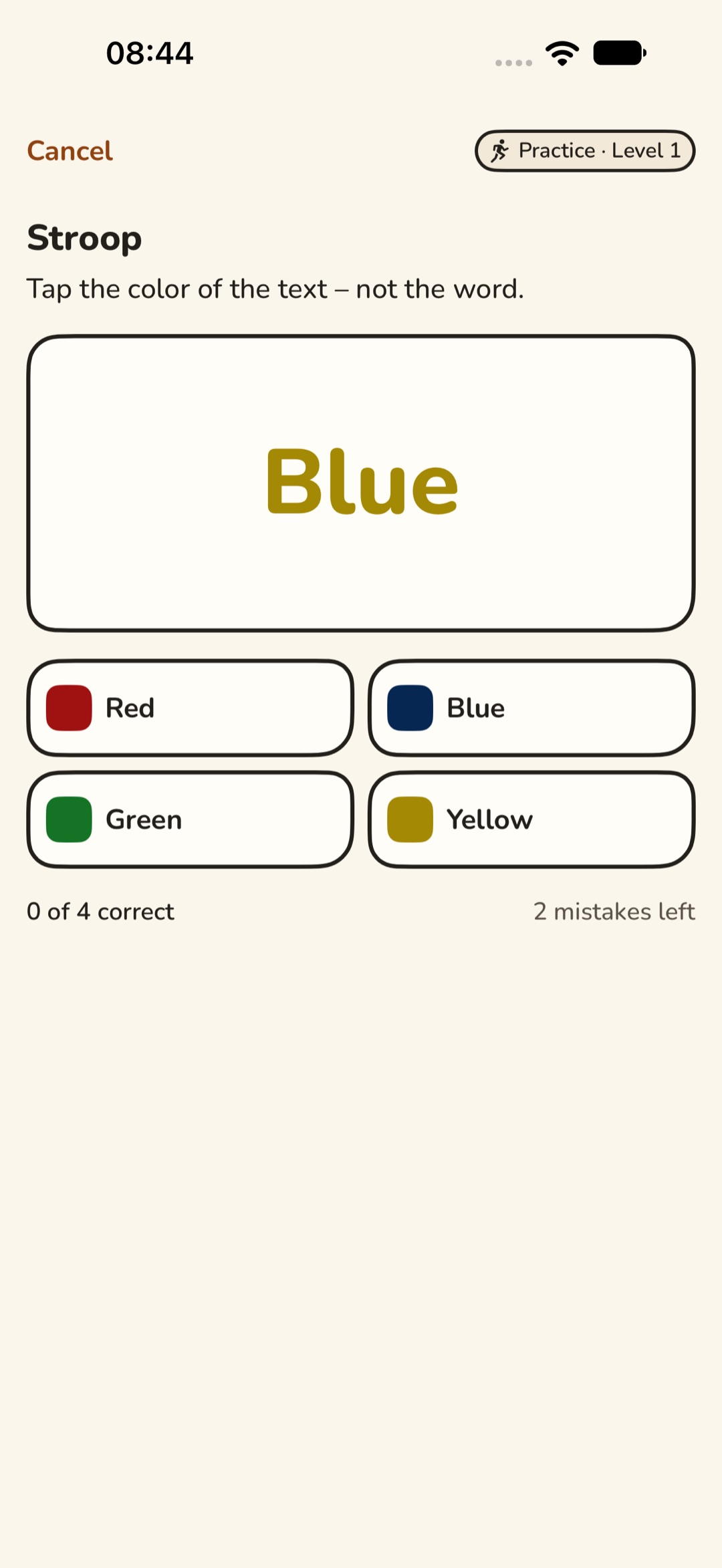
One of the tasks: in the color-word task you tap the color of the text, not the word. Captured in practice mode, shown in the Felt Pen theme.
Why friction and not a ban
The thinking behind it is simple. Reaching for the phone out of habit takes a few seconds. A short task is enough to interrupt that reflex. If you really need the app, you solve it. If you only reached for it out of boredom, you let it go.
A hard ban has another catch: if you can't get out, you just revoke PauseFirst's Screen Time access and every block is gone. That's why there is an emergency unlock for five minutes, with a short reason. It doesn't count as an unlock. For exceptions there is also an emergency stop that lifts all blocks for one hour.
For the same reason, no task may become unsolvable. Unsolvable tasks lead to uninstalls, not to less use. And the tone stays supportive, never punishing. PauseFirst asks, it doesn't scold.
Each further unlock costs a little more
Only solved tasks count. Opening the app again within the open time window, cancelling a task, choosing "Not now" or using the emergency unlock doesn't raise the count. The count covers all blocked apps together. Switching from one blocked app to the next doesn't start you over.
The first unlock of the day is done quickly, the tenth takes noticeably longer. After that a single task doesn't get any longer. Later on, several follow in a row instead. There is no upper limit on the level. At midnight the day starts over with the first unlock.
A single task takes about a minute at most, and tasks where you only hold still take half a minute at most.
What I deliberately left out
PauseFirst has no account and no server. Everything stays on your iPhone; the app collects no data and includes no third-party services.
If you'd like to solve tasks without time pressure, turn that on in the settings under Accessibility. There are also options for limited fine motor control and color vision deficiency.
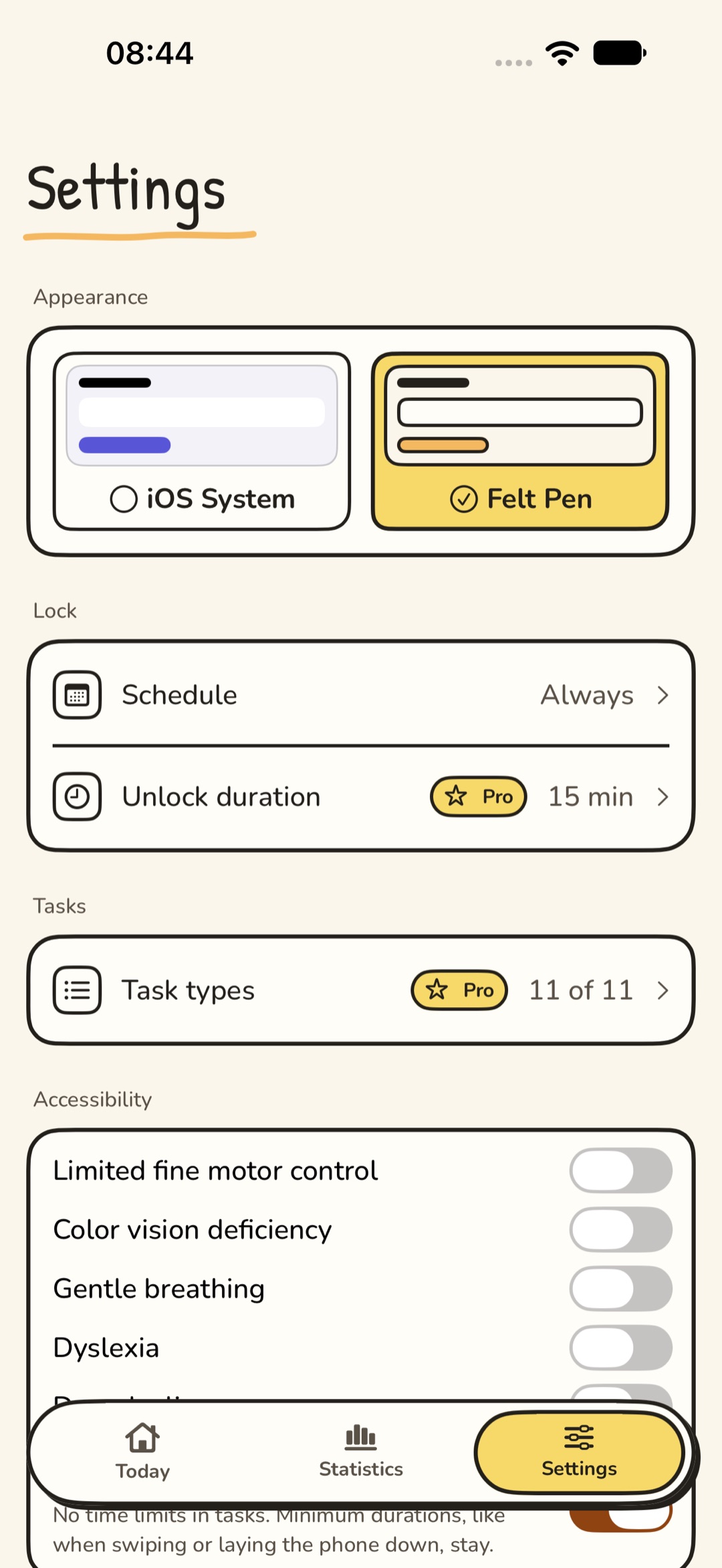
The settings with schedule, unlock duration (Pro), task types and the accessibility options. The theme is picked at the top; here Felt Pen is active.
Try the beta
PauseFirst is available as a public beta on TestFlight: testflight.apple.com/join/neYC162S
You need three things:
- iOS 27,
- a real iPhone, because Screen Time doesn't work in the simulator,
- your permission for Screen Time, which PauseFirst asks for during setup.
It's iOS 27, by the way, because my only test device runs it.
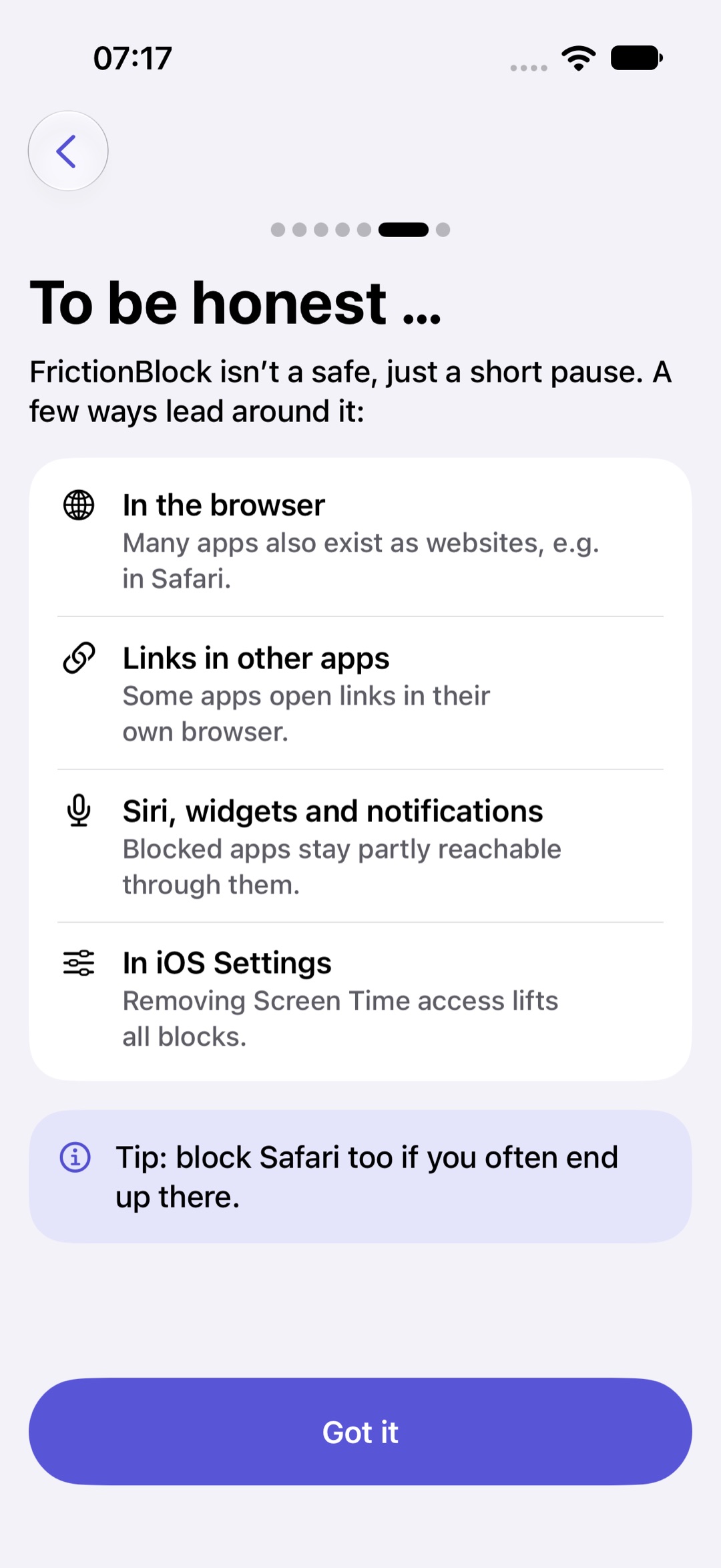
During setup, PauseFirst says openly where the block has gaps, for example in the browser or through Siri.
During the beta, please only block apps you can do without in a pinch, and never Phone, Messages, Maps or banking. The easiest way to send feedback is directly through TestFlight: take a screenshot, add a short comment, send it.
Everything about the app, support and frequent questions is on the PauseFirst page.
Full disclosure: PauseFirst is my own app. This text explains the idea behind it and is not a neutral review.