App
Color Mood Circle: your mood as a color
Color Mood Circle is a mood journal for iPhone that I build on my own. You drag a pin around a color wheel until the color matches how you feel, then let go to save the entry. In the Journal, every day takes on the color of your mood, with room for a note and up to six photos. The app is free, needs no account and keeps everything on your iPhone.
What it looks like
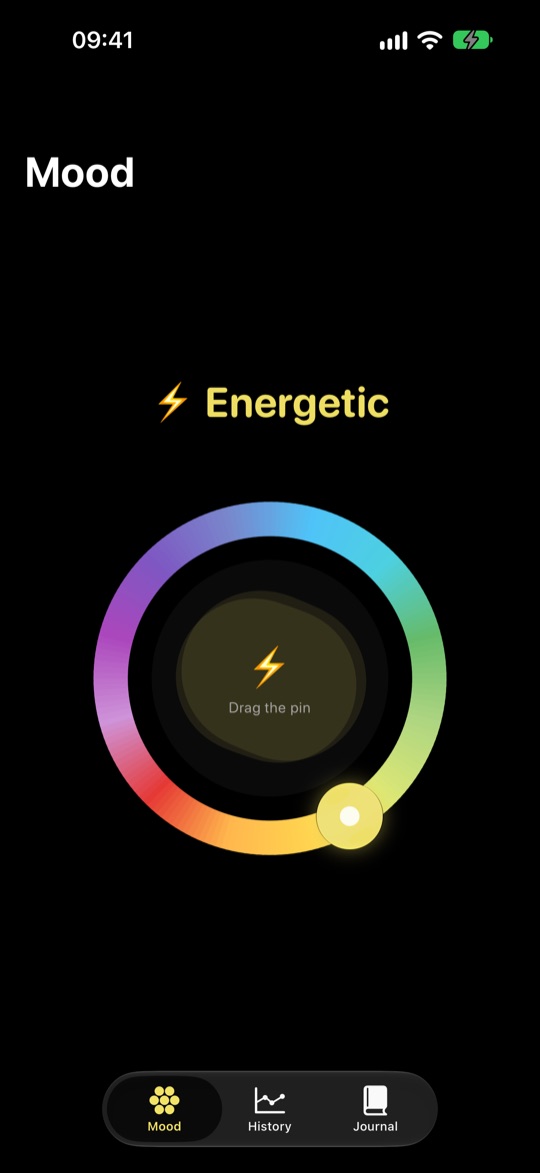
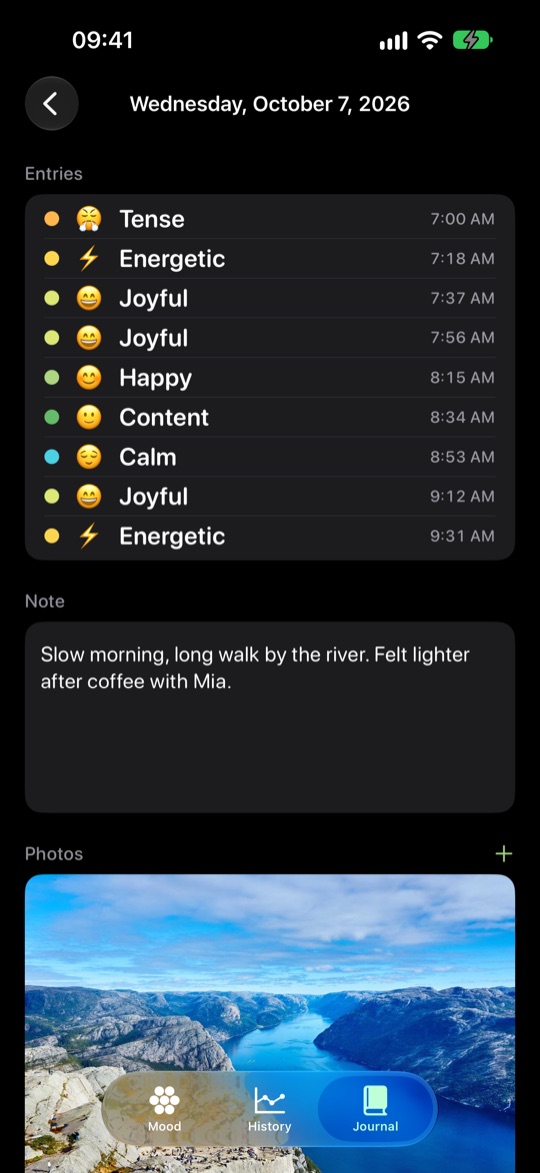
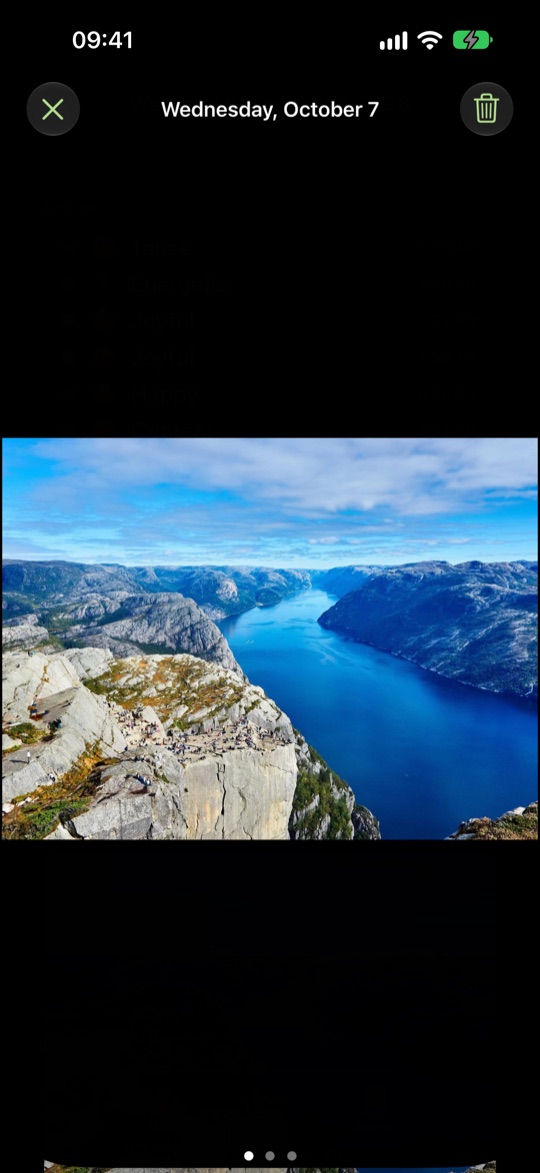
Twelve moods on one color wheel
The wheel holds twelve moods, from Peaceful, Calm and Happy through Energetic to Angry, Sad, Exhausted and Tired. As you drag the pin, the mood appears in large type above the wheel, the center blends the colors, and a light haptic tap marks each change to the next mood. Tap the emoji in the center to hide or show the glowing color blobs.
You can check in as often as you like through the day, and every mood is saved with its time. If you adjust within a minute, the new entry replaces the previous one instead of adding a second. On first launch, a short three-step introduction walks you to your first mood on the real wheel.
History and distribution
History looks back over today, the past week, month or year, or everything at once. A bar shows how often each mood came up in that period, and below it is the list of every entry with its time. Any entry you don't want to keep can be deleted after a confirmation.
A short quote comes with it, picked at random from 34 lines across five themes. Pull down for a new one.
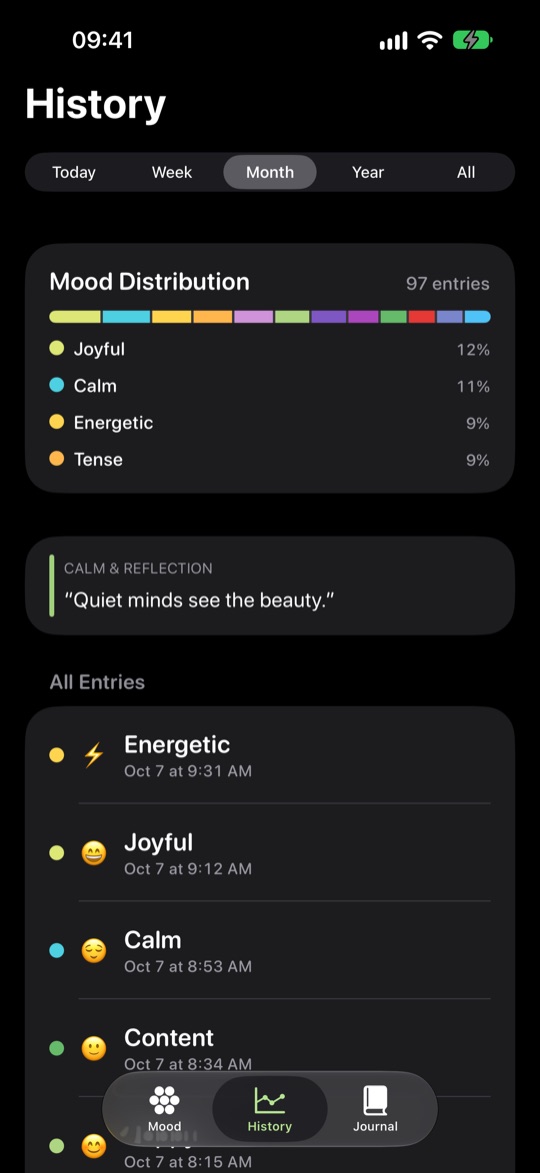
New in 2.0: the Journal
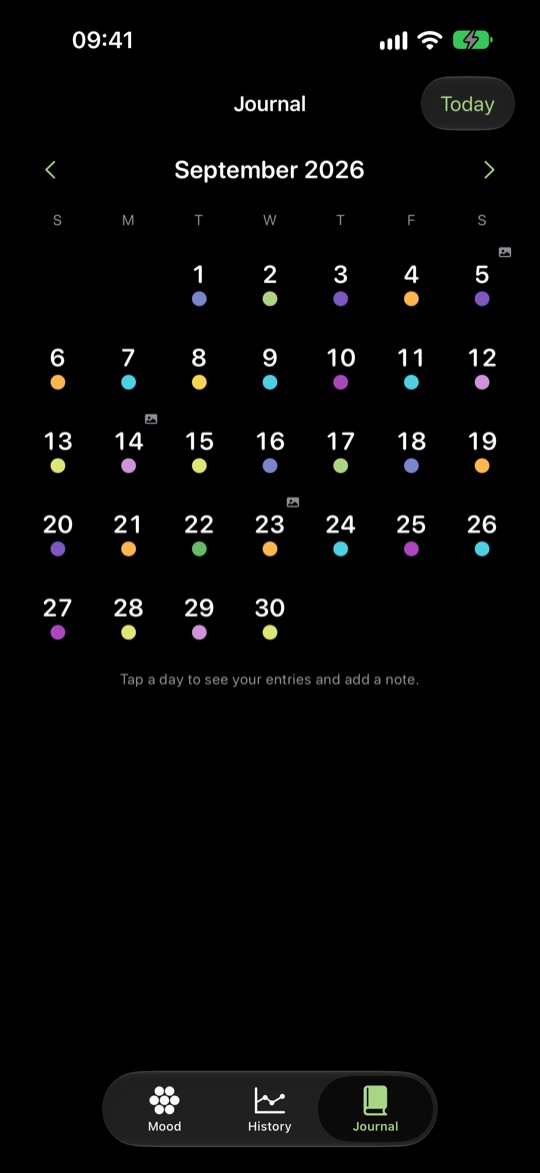
The Journal is a monthly calendar. Each day carries a dot in the color of its last mood, so a whole month fits on one screen. The arrows move between months, and “Today” jumps straight back to the current day.
Tap a day to open its page: every mood of that day with its time, and a note below that saves as you type. Days without an entry open too, so you can still write something down for them later. The first time you open the Journal, a short tip shows how it works.
Photos for the day
Each day can hold up to six photos, taken with the camera or picked from your library. They sit on the day's page below the note, and in the calendar a small icon marks the days that have photos. Tap a photo to see it full screen, where you can pinch to zoom, swipe sideways to the next one and swipe down to close.
Picking from your library goes through the iOS photo picker, so the app only sees the pictures you choose and never asks for access to your whole library. When you add a photo, the app scales it down and strips location and other metadata. You can delete a photo in full screen or with a long press, each time after a confirmation.
Rebuilt for iOS 26
I rewrote version 2.0 from scratch in Swift, for iOS 26. The app follows your iPhone's appearance setting and shows up in Light or Dark mode. VoiceOver reads the mood on the wheel and the date and mood of each calendar day, text grows with Dynamic Type up to the accessibility sizes, and with Reduce Motion turned on, animations become quiet crossfades.
If you used an earlier version, you keep all your moods when you update. They are carried over automatically.
Free, and everything stays on your iPhone
Color Mood Circle costs nothing. There are no ads, no in-app purchases, no subscription and no account. Your moods, notes and photos are stored only on your iPhone. The app contains no analytics, tracking, advertising or AI components and sends nothing over the network. Version 2.0 does not sync through iCloud.
What applies to all my apps is in the privacy policy for my apps.
Frequently asked questions
Can I log more than one mood a day? Yes, as many as you like, each with its time. In the calendar a day shows the color of its last mood, and its page lists all of them.
Does the app run on iPad? No. Color Mood Circle is made for iPhone and needs iOS 26 or later.
What happens to my entries from version 1? They are carried over automatically when you update to 2.0.
Do my entries sync between devices? No. In version 2.0 everything stays on the one iPhone.
Do I need an internet connection? No. The app works fully offline.
Related
Color Mood Circle is free on the App Store, for iPhone with iOS 26 or later.